Overview
Portfolio Manager helps value and analyze personal portfolios across multiple asset classes. It stores portfolio, reference, dividend, and coupon data locally, fetches market data from free public sources, and can run as a backend service with an optional web UI.
What You Can Do
Section titled “What You Can Do”- Value assets across equities, FX, commodities, cash, bonds, and cryptocurrencies.
- Fetch current and historical market data from sources such as Yahoo Finance, Google Finance, dividends.sg, ilovessb.com, MAS, Nasdaq, Barcharts, and TradingView.
- Expose strategy datasets such as SGX funds flow, TradingView screeners, and TradingView stock market movers.
- Import and export blotter data using CSV files.
- Maintain custom dividend metadata and ticker reference data.
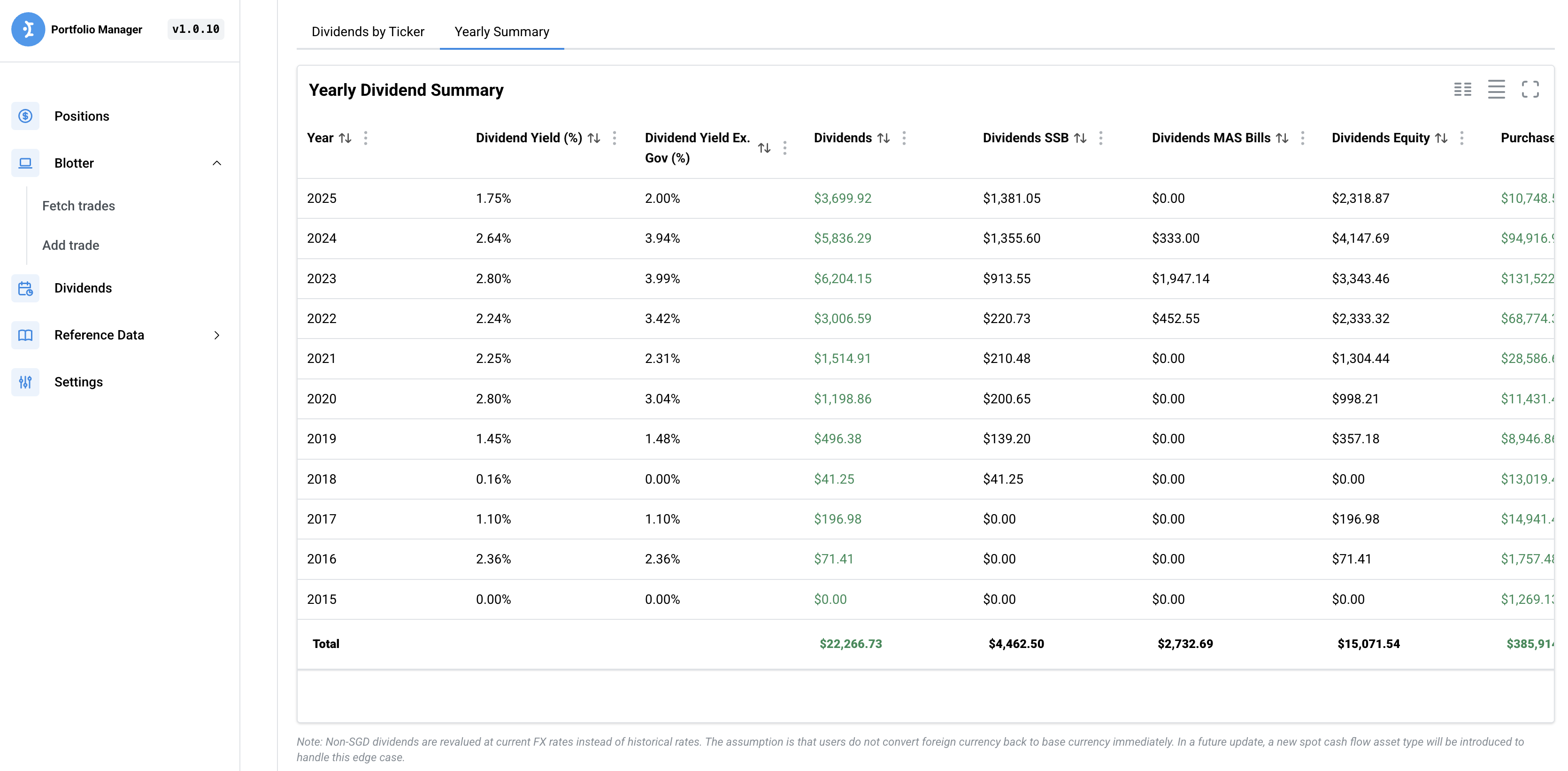
- Display positions, dividends, metrics, heatmaps, and settings in the UI.
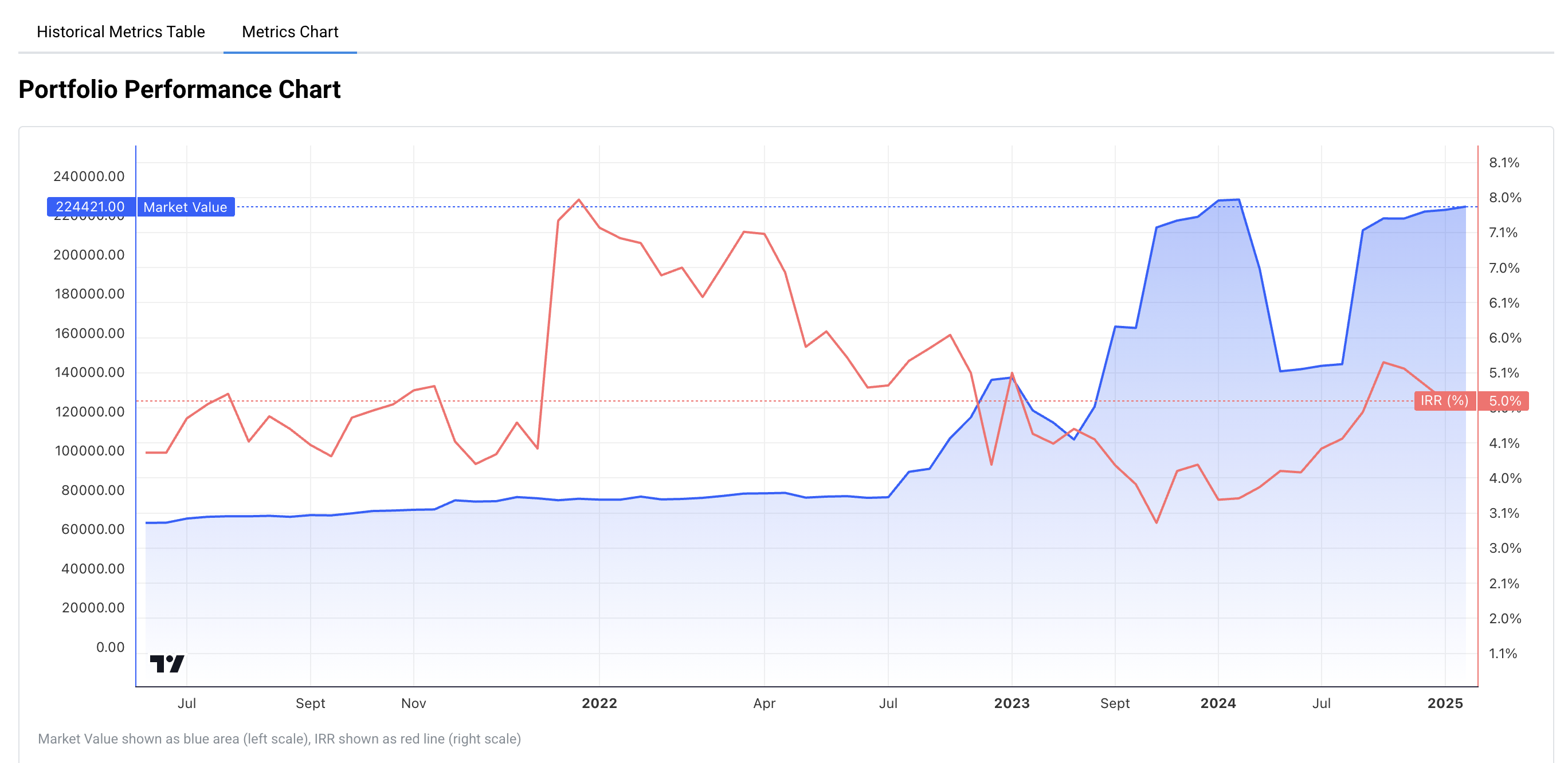
- Analyze portfolio metrics such as IRR, market value, price paid, correlations, and benchmark performance.
- Integrate with Gemini for analytics workflows.
- Expose OpenAPI and MCP interfaces for external systems and LLM clients.
- Back up and restore data through local, Google Drive, or Nextcloud destinations.
A Typical Workflow
Section titled “A Typical Workflow”- Install Portfolio Manager and open the web UI at
http://localhost:8080. - Import or add trades in the Blotter.
- Review current holdings in Positions.
- Use the Summary Dashboard to check exposure by book, currency, sector, and asset subclass.
- Update reference data when a holding is missing classification or ticker metadata.
- Use Analytics, Dividends, and Historical Data when you want deeper performance context.
Product Screens
Section titled “Product Screens”These examples show the type of screens you will use after setup.

Where to Go Next
Section titled “Where to Go Next”- Start with Installation if Portfolio Manager is not running yet.
- Open Summary Dashboard when you want to understand the main dashboard.
- Use Quickstart only if you are working from the source tree.